
What if a dying cartoon tree could stop your phone habit?
Forest does exactly that: plant a tree, leave the app, and the tree dies if you bail.
In our tests the app’s visual penalty, coin rewards, and Plant Together social mode nudged people to actually finish focus sessions, sometimes after just a few days.
Pricing is simple: a one-time low fee of about $2 plus optional microtransactions, so the app is cheap to try but charity tree rewards are slow without regular use.
Thesis: Forest buys motivation, not precision.
Immediate Evaluation of Forest’s Productivity Impact and Focus Session Effectiveness

Forest locks you inside the app while a virtual tree grows. Leave before your timer ends? The tree dies and sits in your forest as proof you bailed. Testing across multiple reviewers showed actual behavior shifts within a few days. One person started using Forest at restaurants to stop checking their phone, during reading time, and for 120-minute pre-bed timers to kill late-night scrolling. Even quick 10-minute sessions worked well for creating repeatable phone-free breaks.
Session rules are pretty strict: minimum 10 minutes, maximum 120 minutes, adjustable in 5-minute chunks. You get a 10-second window to cancel before a planted session locks in. Leave mid-session and you’ll get a push notification with less than a minute to get back before the tree dies. There’s a “Give Up” button that ends things immediately and shows a dead tree. “Work With Phone” mode lets you leave the app without killing the tree, but you only get half the coins and the session won’t count on leaderboards. You can set up to 5 planting reminders per day.
What actually improved focus:
- Dead trees versus healthy ones created a real desire to finish sessions instead of abandoning them
- Coin rewards and achievement milestones (like 200 coins at 4 cumulative hours) made people want to start new sessions
- Plant Together mode adds serious pressure because one person using their phone kills everyone’s trees
- Tag-filtered views helped show time spent across different activities (Work, Study, Social, Rest, Entertainment)
- One reviewer ended up using it in situations they’d previously avoided (dinners, TV time, reading) because starting a session felt easy
Compared to basic Pomodoro timers, Forest adds visual consequences and social features that reviewers found way more motivating than plain countdowns. Standard timers might give you native lock-screen displays and quick phone access without interruption, but Forest’s gamified setup produced stronger follow-through. The tradeoff? Forest doesn’t have strict end-of-session alerts or native timer features. It trades technical polish for dopamine-linked motivation that one reviewer said was effective enough to keep a 4.8 out of 5 rating across roughly 16,000 App Store reviews.
How Forest’s Focus Sessions Work: Timers, Stopwatch Mode, and Deep Focus Behavior

Timer mode means picking a virtual tree and setting a duration between 10 and 120 minutes in 5-minute steps. The app counts down while you leave your phone alone. Exit the app before the timer finishes? You get a push notification and less than 60 seconds to return or the tree withers. The timer keeps tracking time past your set duration without alerting you when the original session ends, which isn’t great if you need a hard stop reminder. One reviewer usually did 30-minute blocks and said this setup helped build better associations with being off the phone.
Deep Focus & Stopwatch Modes
Deep Focus mode locks down your phone completely. Opening other apps during a session kills the tree immediately. This works well for high-interruption tasks where the urge to check notifications is strong. Stopwatch mode starts counting up from zero with a 10-minute minimum app-open requirement or the plant dies. You have to manually stop the session by hitting “give up” or ending the timer. Forget to stop and your recorded focus time inflates. One possible loophole: briefly leaving and returning multiple times might let you send a quick text without killing plant progress, though that defeats the whole accountability thing.
Usability problems include no native iPhone lock-screen timer display. Reviewers wanted a visible countdown without unlocking the phone, but Forest doesn’t do this. Session inflation is a real risk with stopwatch mode since forgetting to stop keeps piling up focus minutes forever. The Chrome extension offers site blocking through allowlist or blocklist, but you can’t switch between the two while a tree is growing. Integration quality is described as worse than the paid mobile app.
| Mode | Key Behaviors |
|---|---|
| Timer | 10–120 min range, 5-min increments, <1 min return window if leaving app, no end-of-session alert, 10s cancel window before start |
| Deep Focus | Blocks all other apps, session fails if user switches apps, useful for strict distraction-free work |
| Stopwatch | Counts up from 0, 10-min minimum or plant dies, requires manual stop, risk of inflated focus logs if forgotten |
Forest Pricing, Subscription Value, and Cost-Effectiveness Breakdown

The iOS version costs $1.99 as a one-time purchase, though pricing shifts by region. £3.99 on the UK App Store, CAD $2.79 for the full unlock in Canada. No subscription, just a single upfront payment. The Chrome extension is free but delivers a lower-quality experience with integration issues. Optional in-app purchases include coin boosters like the Sunshine Elixir ($0.99 for a bottle, $1.99 for a box) that increase coins per session, though exact multipliers aren’t specified. You can use and enjoy the app without buying these extras. There’s no free trial for the mobile version, which might put off people who want to test before committing.
ROI centers on the coin-to-real-tree conversion. Earning 2,500 coins to plant one real tree through the charity partnership requires about 58 full 120-minute sessions at the observed maximum reward of 43 coins per session. That’s roughly 116 hours of focused time. Using the small-session example of 3 coins per 10 minutes, you’d need around 833 ten-minute sessions, totaling about 139 hours. Buying coin boosters speeds this up but costs extra. Each user is currently capped at planting 5 real trees through the app because of company budget limits.
What to consider financially:
- Upfront price is low (under $3 USD equivalent in most regions) with no recurring fees
- Microtransactions (coin boosters, ambient sounds, cosmetic plants) cost $1–$3 each and are optional
- Long-term value depends on consistent use. Behavioral benefit alone might justify the $1.99 for frequent users
- Transparency on boosters is limited (multipliers not disclosed), making it hard to calculate exact value per dollar spent
The purchase makes most sense for people motivated by gamification who’ll start sessions regularly. If your main goal is donating many real trees, expect to invest 100+ hours of focused time or buy multiple boosters. If you need quantified productivity metrics, strict timer alerts, or a free trial period, the cost-effectiveness drops. The one-time price is strong value compared to subscription-based productivity apps, but the slow coin-earning pace and unclear booster economics might frustrate people chasing the tree-planting milestone quickly.
Gamification and Reward Systems Inside Forest’s Productivity Workflow
Forest uses psychological triggers like visual feedback and tangible rewards to keep productivity habits going. Completing a session grows a flourishing tree that joins your virtual forest. Abandoning a session leaves a dead tree visible in your timeline, creating a low-stakes negative consequence that reviewers found surprisingly motivating. Coins earned during sessions unlock ambient sounds (examples: “Café in Paris,” “Rain and thunder,” “Times Square”) and new plant species, each costing 500 coins. Achievement milestones award larger coin bonuses. One reviewer got 200 coins for reaching 4 cumulative hours of focus time, which sped up access to new unlocks and reinforced the habit loop.
Six gamification elements that drive engagement:
- Dead tree visual penalty creates aversion to incomplete sessions
- Coin rewards scale with session length (3 coins for 10 minutes, 43 coins for 120 minutes observed)
- Achievement badges celebrate cumulative milestones and award bonus coins
- Ambient sound unlocks (500 coins each) add variety and personalization to sessions
- Plant Together mode syncs sessions with friends or family. If one person uses their phone, everyone’s trees die, adding strong social accountability
- Real-tree planting option (2,500 coins per tree) ties virtual progress to environmental impact
Group accountability through Plant Together proved especially effective in social contexts like study sessions or family dinners. The shared consequence (everyone loses their tree if one person checks their phone) increased external pressure to stay off devices. One reviewer specifically used the app at restaurants because of this feature. The visual reward system and coin economy act as dopamine-linked motivation loops, though the slow pace of earning coins toward real trees (100+ hours) might reduce long-term engagement for users focused solely on charitable donations rather than behavioral change.
Forest Tracking Tools, Analytics, and Productivity Insights
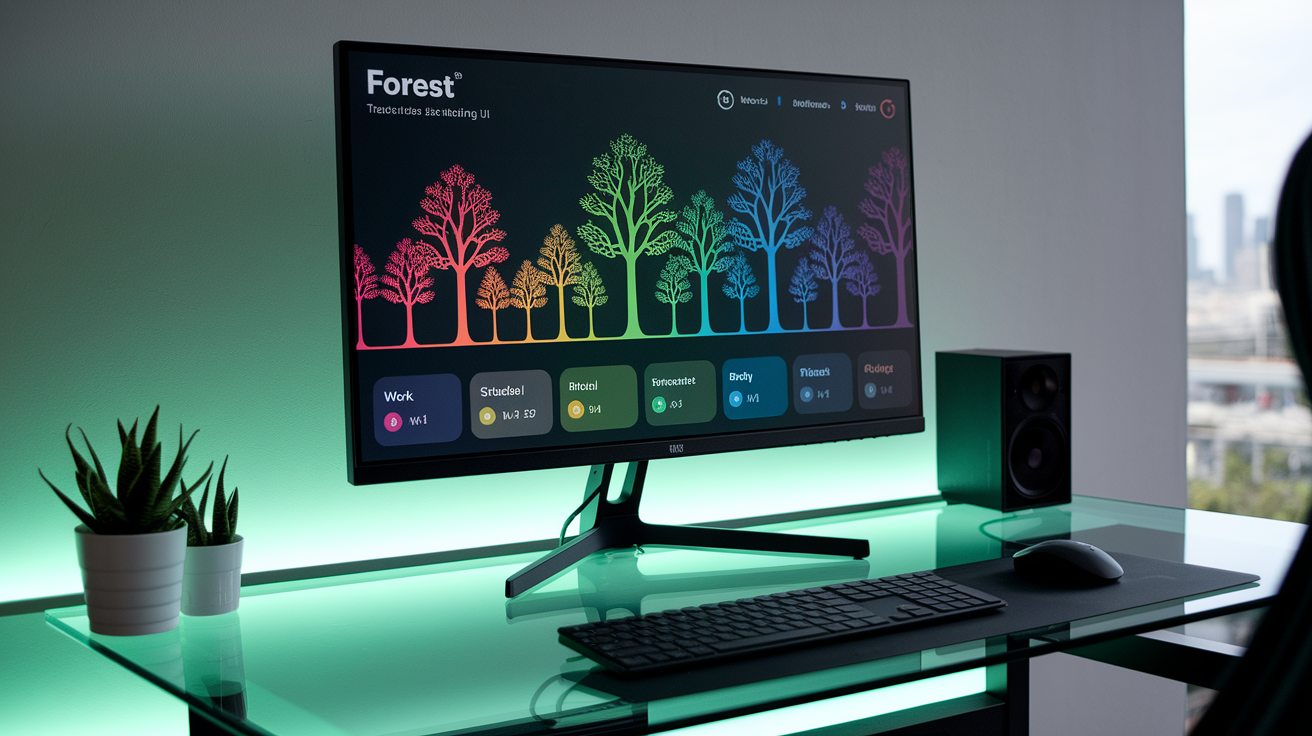
The Timeline and Forest views filter your session history by days, weeks, months, and years, showing a visual record of completed and abandoned sessions. Each tree represents a focus block, making it easy to scan your productivity patterns at a glance. The interface is described as aesthetically pleasing and smooth, with a minimalist teal home screen offering nine main menu items: Forest, Timeline, Tags, Friend, Achievements, Store, Real Forest, News, and Settings.
Tags let you label sessions as Work, Study, Social, Rest, or Entertainment, then filter your forest view by tag to see how much phone-free time you’ve spent in each category. This helps identify where focus is concentrated and where distractions happen most often. Achievements count toward stats and award coins, creating a quantified record of cumulative focused time. One reviewer used tag filtering while writing blog posts to visualize time spent on different tasks.
Tracking tool limits include no advanced export options or CSV data downloads. The app doesn’t report quantitative productivity increase percentages. Evidence of effectiveness is anecdotal and behavioral, not measured in hard metrics. The stopwatch mode’s manual stop requirement creates a risk of session inflation if users forget to end a session, leading to inaccurately high focus totals. The app doesn’t integrate with external time-tracking tools, and the Chrome extension’s lower quality means desktop session data is less reliable than mobile.
Platform Support and User Interface Experience Across Devices

Forest works on iPhone, iPad, iPod, and Android devices. iOS users need iOS 11 or later. The mobile UI is consistently described as smooth, easy to navigate, and visually appealing, with a minimalist design that reduces friction when starting sessions. Widgets are available for quick access and tracking from the home screen. When you leave the app during a session, you get a push notification and have less than 1 minute to return before the tree dies, which helps pull attention back to the commitment.
Platform differences are minimal on mobile, but the Apple Watch app is very limited. It only displays the current day’s forest and doesn’t support starting or managing sessions from the wrist. This reduces the Watch’s usefulness to passive viewing rather than active productivity management. Android and iOS experiences are otherwise comparable in features and polish, with no major functionality gaps reported between the two.
Chrome Extension Behavior
The Chrome extension is free and plants a tree for a specified time while blocking or allowing websites through a blocklist or allowlist. Reviewers recommend using it for 30-minute focused work blocks. The extension can connect to the mobile app but integration isn’t seamless. A key limitation: you can’t switch between blocklist and allowlist modes while a tree is growing, which reduces flexibility if your task requirements change mid-session. The extension is described as lower quality than the paid mobile app, with some users reporting bugs and less reliable session tracking. It serves as a useful desktop companion but isn’t a full replacement for the core mobile experience.
Real Tree Planting, Charity Partnership, and Environmental Credibility

Forest partners with Trees for the Future, a nonprofit that plants real trees using donations funded by users’ virtual coin exchanges. The exchange rate is 2,500 virtual coins per real tree. At the time of one review, the combined program had planted 434,459 real trees globally. Another review noted the tracker showed 2,090,013 trees planted, indicating ongoing growth. Trees are planted across nine countries in sub-Saharan Africa, where the charity focuses reforestation efforts.
Three facts about donation limits and geographic impact:
- Each user is capped at planting 5 real trees through coin conversion because of company budget constraints
- Trees are planted in sub-Saharan Africa across nine countries, supporting regional reforestation
- Observed global tree totals (434k and 2M+) show meaningful scale beyond individual user contributions
For typical users, converting coins into a real tree donation requires roughly 100–140 hours of focused time without purchasing coin boosters. Using the observed maximum reward of 43 coins per 120-minute session, you’d need about 58 full sessions to reach 2,500 coins. That’s around 116 hours total. Using smaller 10-minute sessions at 3 coins each would take around 833 sessions, totaling 139 hours. Buying Sunshine Elixir boosters ($0.99–$1.99) triples coin rewards but adds microtransaction costs. The 5-tree cap per user means even dedicated users can’t donate indefinitely through the app. This feature adds environmental value and motivational appeal, but the slow coin-earning pace and per-user limit make it more of a long-term behavioral incentive than a rapid donation tool.
Pros, Cons, and Verdict on the Forest Productivity App

Forest delivers strong behavioral nudges through gamification, visual consequences, and social accountability features. Reviewers consistently noted measurable habit changes within days of use, particularly in contexts like restaurants, study sessions, and pre-bed routines where phone distraction is common. The low one-time cost ($1.99–$3.99 depending on region) and optional microtransactions make it accessible without ongoing fees. Cross-platform availability (iOS, Android, Chrome extension) and robust tracking tools (tags, filters, timeline views) support diverse workflows.
Six pros:
- Effective gamified motivation with dead-tree penalties and coin rewards
- Low one-time purchase price (under $4) with no subscription fees
- Stopwatch and Deep Focus modes offer flexibility for different task types
- Strong social accountability through Plant Together (group sessions where one person’s phone use kills all trees)
- Real-tree planting option ties virtual progress to environmental impact (2,500 coins per tree donated)
- Cross-platform support with mobile apps, widgets, and free Chrome extension
Six cons:
- No native iPhone lock-screen timer display, requiring unlock to check session progress
- Stopwatch mode requires manual stopping and risks inflated focus logs if forgotten
- No mobile free trial. Purchase required before testing core experience
- Chrome extension has lower quality and integration issues compared to paid mobile app
- Apple Watch app is very limited (view-only, no session management)
- Slow coin-to-real-tree earning pace (100–140 hours per donated tree) unless purchasing boosters
The ideal user responds to gamification and low-stakes visual consequences. Forest works especially well for people struggling with phone overuse who need external accountability to stay off devices during meals, study blocks, or evening wind-down periods. Short sessions (10–30 minutes) proved most practical for reviewers, and the app’s simplicity reduces friction when starting a focus block. It’s not ideal if you need strict end-of-session alerts, native lock-screen countdowns, quantified productivity metrics, or rapid real-tree donations.
Comparison With Popular Alternatives
Focus To-Do combines Pomodoro timing with task management and offers stricter timer alerts, making it better for users who need precise stop reminders and integrated to-do lists. Engross and Focus offer similar gamified tree-growing mechanics but may lack Forest’s charity partnership and social features. Forest’s unique combination of environmental co-benefit (real-tree planting) and Plant Together group accountability sets it apart from simpler Pomodoro apps. If dying-tree imagery triggers climate distress, alternatives with different visual themes may be preferable.
Forest is worth buying at the $1.99–$3.99 price point if gamified incentives reliably reduce your unproductive phone time and you value the real-tree donation option as a long-term behavioral goal. The app delivers meaningful value for users who’ll start sessions regularly, especially in social settings or short blocks. Skip it if you require a free trial before committing, need detailed productivity analytics, or want a faster path to environmental donations. Consider testing the free Chrome extension first to evaluate the concept, but expect lower polish and integration compared to the paid mobile experience.
Final Words
Forest locks you into focused sessions with its tree-growing metaphor. Review showed quick behavior shifts. Ten-minute runs kickstart flow, and 120-minute tests prove durability while the app nudges you away from distractions.
Pricing and coin math are simple to weigh. Low one-time cost, some microtransactions, and slow real-tree donations affect value. Cross-platform features are solid, though stopwatch quirks and no lock-screen timer are worth noting.
Forest productivity app review: effectiveness focus sessions and pricing, overall it’s a low-friction motivator that often improves concentration fast. Worth trying.
FAQ
Q: Is Forest focus for productivity worth it?
A: The Forest Focus app is worth it if you want a simple, gamified way to block distractions and build focus. Reviewers reported behavior change within days; short 10–30 minute sessions work well in real use.
Q: How much does the Forest Focus app cost?
A: The Forest Focus app costs about $1.99 one-time on iOS (examples: £3.99, CAD $2.79). The Chrome extension is free, and small in-app purchases are optional.
Q: Which Forest app is best?
A: The best Forest app is the mobile version on iPhone or Android, since it includes Deep Focus, stopwatch, full gamification, and tree donations. The free Chrome extension is handy but less integrated.
Q: Is the Forest app good for ADHD?
A: The Forest app is good for many people with ADHD as a behavioral aid: short timers, visual cues, and rewards help focus. It’s not a substitute for treatment and has some usability limits.