

Stunning art won’t save a game with bad rules, and players will leave fast if mechanics feel random or unfair.
Game design is the craft of creating the rules, systems, and moments that shape play, what players can do, what choices matter, and how those parts connect to create fairness, flow, and fun.
This guide breaks down the essentials, mechanics, systems, and player experience, and gives clear steps for prototyping, testing, and tuning so your designs survive real playtests and keep players coming back.
Understanding the Foundations of Game Design

Game design is about creating the rules, systems, and interactions that shape how players experience a game. It’s not the same as programming (which turns mechanics into code), art (which handles visuals and audio), or production (which keeps timelines and resources on track). Designers figure out the “what” and “why” of gameplay. What can players do? What challenges will they face? How do systems connect to create meaningful choices?
Most designers work closely with programmers, artists, and producers. But their job is crafting the experience itself, not building assets or managing schedules.
A typical day involves planning systems, prototyping mechanics, writing design docs, and iterating based on playtests. You might sketch out a new character ability in the morning, build a quick prototype with placeholder art in the afternoon, then review playtest footage at night to see where players got stuck or frustrated. Most design work happens in shared docs, spreadsheets, whiteboards, and rough prototypes. Not in polished builds.
Iteration is constant. Designers throw away ideas all the time, stuff that looked great on paper but feels wrong when you actually play it. The goal is always to make decisions that serve the player’s experience, even if that means cutting features or simplifying systems you spent days on.
Game design matters because it directly shapes engagement, retention, and satisfaction. A game can have gorgeous art and flawless code but still fail if the core mechanics feel unrewarding or the difficulty curve frustrates new players. Good design creates clear goals, intuitive feedback, and a sense of progression that keeps players motivated. It determines whether a game feels fair, whether choices feel meaningful, and whether players want to come back after their first session. In competitive or live service games, strong design can be the difference between a thriving community and an abandoned product.
Core Principles and Mechanics

Game mechanics are the rules and interactions that define what players can do and how the game responds. Strong mechanics rely on a few core principles that make gameplay feel satisfying, fair, and worth mastering.
Clarity is essential. Players need to understand what actions are available and what’ll happen when they act. If a mechanic’s outcome feels random or unclear, players can’t learn or improve. It’s like teaching someone chess without explaining how the pieces move. Frustration replaces fun.
Balance means mechanics should offer meaningful trade-offs. If one strategy or tool dominates everything else, player choice becomes shallow and repetitive.
Feedback confirms every action. Players need visible, audible, or tactile confirmation that the game registered their input and whether the action helped or hurt their progress.
Risk and reward forces players to weigh potential gains against potential costs. Well-tuned risk/reward creates tension and makes success feel earned.
Progression supports a sense of growth, whether through unlocking new abilities, mastering timing, or discovering deeper strategies.
Accessibility ensures core mechanics are learnable by your target audience. Complexity can add depth, but it shouldn’t block basic enjoyment or understanding.
Player agency is the feeling that your choices matter and that you have control over outcomes. High agency doesn’t mean players can do anything. It means the options available feel meaningful and the consequences feel connected to decisions. Games with strong agency let players express their own style, experiment with different approaches, and feel ownership over their victories and failures.
When agency is weak, players feel like they’re watching a story unfold or following a script. That drains motivation and makes repeated play feel pointless. Agency is what separates a game from a slideshow or a movie. It’s the foundation of interactive entertainment.
Systems Thinking in Game Design
Systems thinking means designing mechanics that interact with each other to produce outcomes you didn’t directly script. Instead of creating isolated features, designers build relationships between rules and let complexity emerge naturally.
A system can be as simple as a resource loop (spend energy to attack, regain energy by resting) or as complex as an AI director that adjusts enemy spawns based on player performance. The key is that the designer sets up the rules and then observes what behaviors emerge. This creates depth because players discover new strategies by combining mechanics in unexpected ways. Like using a movement ability to dodge damage and reposition for a better attack angle at the same time.
Interconnected mechanics produce emergent gameplay when small rule interactions create large strategic possibilities. In a stealth game, you might have separate systems for vision cones, sound propagation, and environmental objects. When those systems interact, players can throw a bottle to create noise, pull a guard’s attention away from their vision cone, and slip past undetected. A strategy the designer enabled but didn’t script step by step.
Resource economies work the same way. You set stocks (health, ammo, currency) and flows (damage, pickups, shops), then tune the rates to create tension without micromanaging every moment.
Balancing systems is critical because players will always find the most efficient path, even if it breaks the intended experience. If one mechanic generates resources faster than others, rational players will spam it and ignore the rest of your design. Designers need to playtest extensively, watch for dominant strategies, and adjust numbers or rules to keep multiple approaches viable. You want systems to feel robust and explorable, not fragile or solved after the first hour.
User Experience and Game Feel

UX in games covers everything that helps players understand, navigate, and interact with your design. Good UX means clear menus, readable fonts, intuitive button layouts, and onboarding that teaches without overwhelming. It’s the difference between a player knowing exactly where to find their inventory and a player closing the game in frustration because they can’t figure out how to equip an item. UX design reduces friction. It removes unnecessary confusion so players can focus on the actual gameplay challenges you built.
Game feel refers to the tactile, visceral quality of interaction. It’s the combination of animation timing, sound effects, screen shake, and input response that makes an action feel punchy or weak, smooth or clunky. A jump with tight control, a subtle rising audio cue, and a satisfying landing sound feels very different from a floaty jump with no audio and a half second input delay. Game feel is why two mechanically identical actions can produce completely different player reactions. One feels good to repeat, the other feels like fighting the controls.
Strong UX and feel can elevate a simple mechanic into something memorable, while poor execution can ruin an otherwise solid design. Consider a fighting game where combos require frame perfect timing but the game provides no visual or audio feedback to confirm you’re on the right track. Players will assume the mechanic is broken and stop trying.
On the other hand, a basic platformer with responsive jumps, clear landing feedback, and snappy animations can feel more engaging than a complex game with sluggish controls and unclear visual language. Players might not consciously notice good UX and feel, but they’ll definitely notice when it’s missing.
Prototyping and Iteration in Game Development
Rapid Prototyping
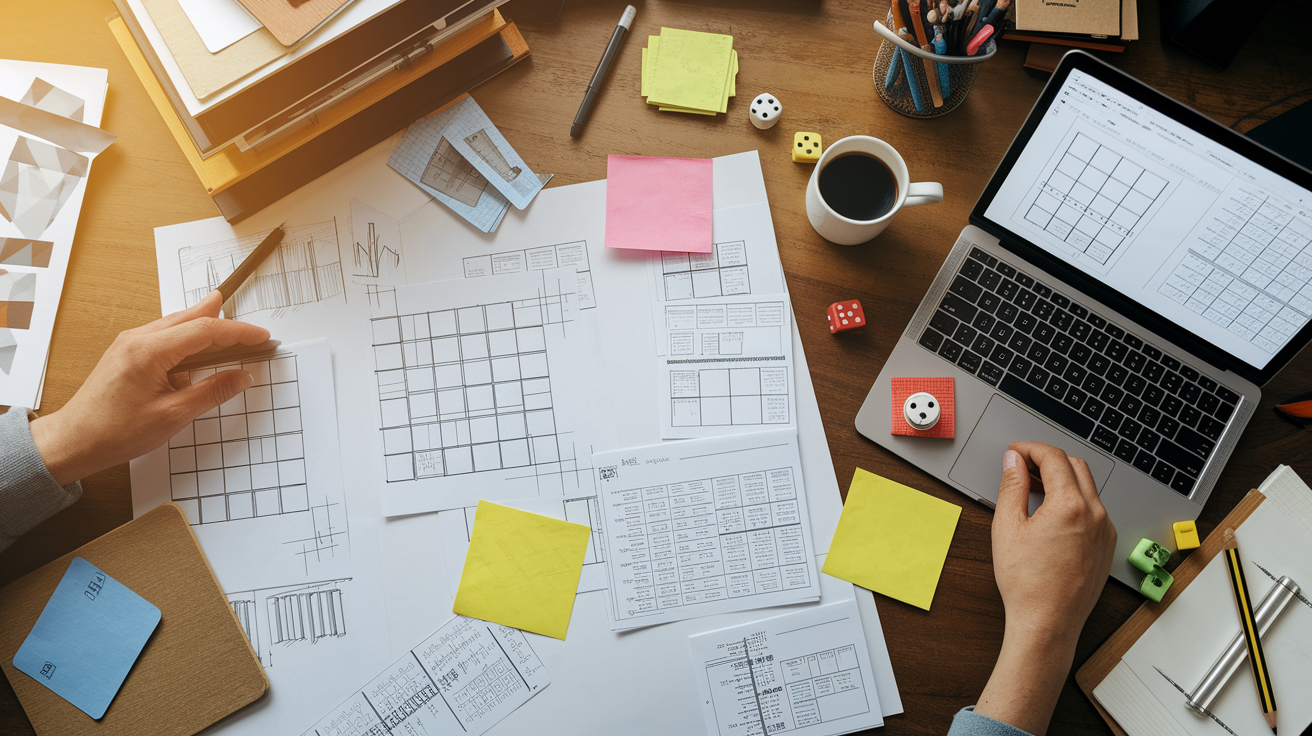
Rapid prototyping means building the smallest, fastest version of an idea to test whether it works. Paper prototypes use index cards, dice, and tokens to simulate mechanics without any code. Greyboxing uses simple geometry in a game engine. No textures, no final art, just shapes to test spacing, timing, and flow. Quick digital tests might use placeholder assets and rough scripting to get a mechanic playable in minutes or hours instead of days. The goal is always the same. Answer a specific design question as cheaply as possible so you can move forward or pivot without wasting time on polish.
Start with a concept. Define the core question or problem you’re testing. Does a dash with a short cooldown feel more fun than a single long dash?
Build a prototype. Create the minimum version needed to answer that question. Use existing assets, rough code, or even a paper mock-up if it works.
Test it. Play it yourself, then bring in other people. Watch where they hesitate, where they smile, and where they give up.
Evaluate what you saw. Compare your observations against your original question. Did the prototype prove or disprove your hypothesis?
Refine based on what you learned. Adjust variables like cooldown timers, distances, and costs, or rebuild from scratch if the core idea didn’t land. Repeat until you find something worth developing further.
Playtesting with diverse players is essential because designers become blind to their own work. You know the intended strategies, the hidden shortcuts, and the mental model behind every system. New players don’t. They’ll click the wrong buttons, ignore your tutorial, and invent strategies you never imagined. Watching a range of players (beginners, experienced gamers, people unfamiliar with your genre) reveals which parts of your design actually communicate and which parts only make sense in your head. Good playtesting separates assumptions from reality and helps you iterate toward something that works for your audience, not just for you.
Tools and Documentation Used in Game Design

| Tool | Primary Use |
|---|---|
| Game Design Document (GDD) | Central reference for mechanics, systems, story, and features; often outdated as design evolves |
| Google Docs / Notion | Collaborative documentation, paperkitting (lightweight specs), and shared design notes |
| Unity / Unreal Engine | Prototyping, greyboxing, and testing mechanics with placeholder assets |
| Excel / Google Sheets | Balancing systems, tracking variables (damage, cooldowns, costs), and tuning progression curves |
| Figma / Miro | Flowcharts, wireframes, UI mockups, and visual planning for systems and player journeys |
Professional workflows rely heavily on living documents and lightweight collaboration tools. A GDD might outline the vision and pillars at the start of a project, but day to day design happens in shared spreadsheets where you tune damage numbers, in collaborative docs where you sketch out ability kits, and in rough engine prototypes where you test feel and timing.
Most shipping games have outdated or incomplete design docs because iteration moves faster than documentation. The real source of truth is usually the build itself plus the collective memory of the design team. Designers balance formal documentation (useful for onboarding and alignment) with the reality that fast iteration often means specs written in the morning are obsolete by evening.
Career Paths in Game Design

Game designers can specialize in many directions depending on their interests and strengths. Systems designers focus on economies, progression, and interconnected mechanics. They’re often the ones tuning numbers and building spreadsheets. Level designers create spaces, encounters, and pacing within those spaces, whether that’s a single combat arena or an entire open world region. Combat designers work specifically on abilities, enemy behaviors, and moment to moment action feel. Narrative designers shape story beats, dialogue, and the integration of narrative with gameplay systems. Economy designers balance in-game currencies, item drops, and monetization in free to play or live service games.
Most designers start broad, then find their niche as they discover which problems they enjoy solving and which workflows match their skills.
Entry paths vary widely. Some designers come through formal game design degrees, others through computer science, fine arts, or unrelated fields. What matters more than your degree is your ability to demonstrate design thinking, clear documentation, and shipped work (even if it’s a small personal project, a mod, or a game jam entry). Junior roles often expect you to contribute across multiple areas. Playtesting, documentation, tuning spreadsheets, supporting senior designers, before you specialize. Networking through game jams, online communities, and industry events helps, but nothing replaces a portfolio that shows you can identify problems, prototype solutions, and iterate based on feedback.
Essential career skills include communication. You’ll spend more time explaining ideas, writing docs, and aligning with teammates than you will prototyping. Clear writing and speaking matter.
Prototyping is crucial. Whether in paper, engine scripting, or visual tools, you need to build testable versions of ideas quickly.
Analytical ability helps you interpret playtest feedback, balance spreadsheets, and spot unintended strategies before they ship.
Documentation means writing concise, structured specs and maintaining shared references so teams stay aligned as designs evolve.
Collaboration is non-negotiable. Game design is rarely solo work. You’ll partner with engineers, artists, producers, and other designers daily, and your ideas only matter if you can bring others along.
Final Words
We ran through the essentials: foundations, core mechanics, systems thinking, UX, prototyping, tools, and career paths.
You now know what designers do day-to-day, how to prototype and iterate, which tools matter, and how to avoid common pitfalls. Use the principles list to build clearer, balanced gameplay loops.
Take a step: sketch a small prototype, test it, and share it with players for feedback. Keep learning. Game design rewards doing, not just planning. You’re ready to start shaping play.
FAQ
Q: What does a games designer do?
A: A game designer plans rules, systems, mechanics, story beats, and player interactions to craft fun experiences. Day-to-day work includes designing mechanics, prototyping, balancing, writing design docs, and iterating from playtests.
Q: Can video games lower cortisol?
A: Video games can lower cortisol when play is relaxing, social, or focused; casual or puzzle games work best. Keep sessions moderate; long, stressful play can raise stress instead.
Q: Is AI replacing game designers?
A: AI is not replacing game designers; it’s a tool that automates routine tasks, speeds prototyping, and suggests assets. Human designers still lead on systems, narrative, player empathy, and final decisions.
Q: Which game is No. 1?
A: The game that’s No. 1 depends on the metric: sales, active players, or critic scores. Pick a metric, then check sources like NPD, Steam Charts, or Metacritic to find the current top title.