

Choosing the wrong game engines can waste months and thousands of dollars.
So which engine should you pick: Unity, Unreal, or Godot?
This guide compares their strengths, costs, and workflows so you match the tool to your project.
Unity excels at cross-platform reach and rapid prototyping.
Unreal leads for photoreal visuals and AAA pipelines.
Godot gives a lightweight, fully open-source option with no royalties.
Read on to see where each engine saves time, money, or headaches, and which one fits your team.
Leading Game Engines and Their Key Differences
Choosing a game engine comes down to matching features, costs, and workflows to your project’s needs. Unity, Unreal Engine, and Godot dominate the conversation today, but specialized tools like CryEngine offer distinct advantages for specific use cases. Unity leads in cross-platform reach and user adoption, Unreal sets the bar for visual fidelity and AAA production pipelines, and Godot delivers a fully open-source alternative with zero royalties. Understanding where each excels helps you skip months of trial and error.
Unreal Engine
Unreal Engine 5 is the go-to choice for projects demanding photorealistic rendering and cutting-edge visual effects. Released officially in 2022, with version 5.6 launched in June 2025. Its Nanite virtualized geometry system lets developers import film-quality assets without manual polygon reduction. Lumen provides real-time global illumination that updates as lighting conditions change. AAA studios building for PlayStation 5 and Xbox Series X rely on Unreal’s production-proven toolset, which includes advanced animation systems, physics simulation, and a mature Blueprint visual scripting environment that lowers the barrier for non-programmers. The trade-off? A steeper learning curve and higher hardware requirements. Unreal uses a royalty-based pricing model. Free to download and use, with a 5% royalty on gross revenue after your project crosses $1 million in earnings.
Unity
Unity powers roughly 34% of all game development projects worldwide. It’s the most widely adopted engine across indie studios, mobile developers, and even some AAA teams. Its strength lies in cross-platform deployment. Windows, Mac, Linux, iOS, Android, Switch, Xbox, PlayStation, and more, all from a single codebase written in C#. Unity’s asset store hosts thousands of ready-made tools, plugins, and art packs, which accelerates prototyping and fills gaps in smaller teams. The interface is approachable for beginners, and the learning resources are vast. Pricing starts at $200 per month for paid plans, with a free version available for personal use and small studios under a revenue threshold. Performance can bottleneck on complex 3D projects. Version fragmentation has historically caused compatibility headaches when upgrading.
Godot
Godot is the leading open-source game engine, released under the MIT license with no royalties, subscription fees, or revenue caps. It’s lightweight, runs well on lower-end hardware, and uses a node-based scene architecture that many developers find intuitive. GDScript, Godot’s Python-like scripting language, is beginner-friendly, though the engine also supports C# and direct C++ integration for performance-critical code. Godot shines in 2D development. Its dedicated 2D engine is separate from the 3D renderer, so you get pixel-perfect controls, tile maps, and animation tools optimized for side-scrollers, platformers, and pixel-art projects. The 3D toolset is improving rapidly but still lags behind Unity and Unreal in terms of advanced rendering features and marketplace assets. The community is active and growing, though documentation and third-party tutorials are less extensive than the commercial giants.
CryEngine
CryEngine offers high-fidelity graphics with full access to C++ source code. It’s a strong pick for developers who want deep customization and don’t mind a steeper technical climb. The engine is free to use, with membership options starting at $50 per month for additional support and services. CryEngine’s royalty model charges 5% on project revenue up to $5,000 annually, a structure that benefits smaller studios. The renderer produces immersive, photorealistic environments, and the integrated CRYENGINE Sandbox editor provides robust level-design tools. The downside is a smaller asset marketplace, spottier documentation compared to Unity or Unreal, and a learning curve that assumes solid C++ knowledge from day one.
Core Concepts Behind Modern Game Engines

A game engine is a software platform that handles the repeating, technical heavy lifting of game development. Rendering graphics, simulating physics, processing audio, managing assets, handling player input, and running AI logic, so you can focus on designing unique gameplay and content. Instead of writing thousands of lines of low-level code to draw a character on screen or calculate collision between objects, you use the engine’s APIs and visual tools to assemble, test, and iterate quickly. Modern engines centralize these responsibilities under a single ecosystem, often bundling an integrated editor, scripting environment, and real-time preview system that lets you see changes instantly.
The global gaming market underscores why engines matter. In 2023, the industry generated $396 billion in revenue, and projections show it reaching $665.77 billion annually by 2030. Engines accelerate production timelines, reduce team size requirements, and open game development to solo creators and small studios who couldn’t afford to build rendering pipelines or physics solvers from scratch. They also enable cross-platform deployment. Write once, export to PC, mobile, console, and VR with minimal rework.
At their core, game engines typically provide:
Rendering system for 2D sprites or 3D meshes, lighting, shading, texture mapping, and post-processing effects like depth of field.
Physics simulation for collision detection, rigid-body dynamics, soft-body deformation, and real-time interactions.
Animation tools to blend character movements, trigger events, and sync audio with visuals.
Audio engine for spatial sound, mixing, and dynamic music layers.
Scripting and logic layer where you define rules, AI behavior, and game state.
Asset management to organize models, textures, sounds, and scenes efficiently.
These components work together so you can prototype a playable level in hours instead of weeks. Whether you’re building a 2D puzzle game or a sprawling open-world RPG, the engine’s toolset determines how fast you iterate, how your game performs at runtime, and how smoothly you can deploy to multiple platforms. Picking the right foundation means fewer technical roadblocks and more time spent on what makes your game fun.
Comparing 2D vs 3D Game Engines
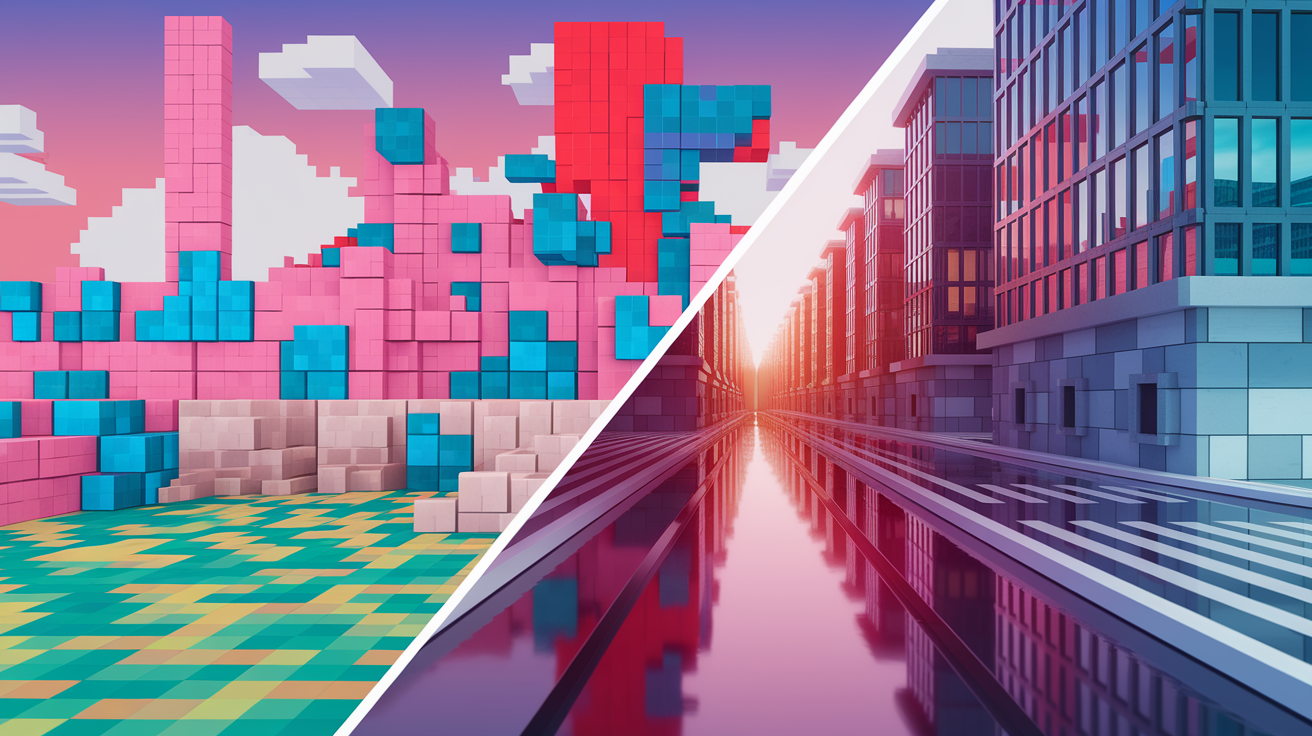
2D and 3D engines solve different technical challenges, and understanding the distinction helps you pick the right tool. A 2D engine focuses on sprite rendering, tile maps, parallax scrolling, and pixel-perfect collision, all optimized for games viewed from a fixed camera angle or side view. Physics in 2D is simpler, usually just X and Y coordinates, and the renderer skips complex calculations for depth, lighting falloff, and perspective. GameMaker Studio and Cocos2d are pure 2D engines, offering streamlined workflows for platformers, puzzle games, and pixel-art projects without the overhead of unused 3D features.
3D engines handle meshes, polygons, cameras with six degrees of freedom, real-time lighting systems like Lumen in Unreal, shadow casting, and depth-of-field effects. They calculate how light bounces off surfaces, how objects occlude one another, and how textures wrap around curved geometry. Amazon Lumberyard is exclusively 3D, built for large-scale multiplayer worlds and high-fidelity environments. Most modern engines, Unity, Unreal, Godot, support both 2D and 3D workflows, letting you choose the rendering mode that fits your project. That flexibility matters if you want to prototype in 2D and later add 3D elements, or if your studio works on varied genres.
| Engine Type | Best Use Case | Example Engines |
|---|---|---|
| 2D-Only | Platformers, side-scrollers, pixel-art games, mobile puzzlers | GameMaker Studio, Cocos2d |
| 3D-Only | Large-scale multiplayer, photorealistic simulations, VR experiences | Amazon Lumberyard |
| Hybrid (2D + 3D) | Cross-genre projects, AR/VR, mixed-perspective games, rapid prototyping | Unity, Unreal Engine, Godot |
Game Engine Programming Languages and Scripting Systems

Every engine pairs a primary programming language with its API, and that choice shapes your daily workflow. Unreal Engine uses C++ for full control over performance-critical systems. Memory management, custom physics solvers, low-level rendering tweaks. But it also offers Blueprint, a node-based visual scripting system that lets designers and artists build gameplay logic without writing code. Blueprint is powerful enough for complete games, though C++ remains necessary when you need to optimize tight loops or integrate third-party libraries.
Unity centers on C#, a modern, garbage-collected language with strong tooling and a gentle learning curve for developers coming from web or app backgrounds. C# integrates tightly with Unity’s component-based architecture, where you attach scripts to GameObjects and call engine functions through a well-documented API. Unity also supports visual scripting through add-ons, but the ecosystem leans heavily on C# for tutorials, asset-store plugins, and community examples. Godot uses GDScript by default, a Python-like language designed specifically for game logic, but also supports C# for developers who prefer static typing and direct C++ modules when you need maximum speed. GameMaker Studio relies on GameMaker Language (GML), a proprietary scripting syntax that sits between drag-and-drop simplicity and full procedural code, while Cocos2d-x offers both C++ and JavaScript bindings for developers targeting mobile or web.
Shader programming is another layer. Most engines let you write custom shaders in HLSL (Unreal, Unity) or GLSL (Godot, Cocos2d-x) to control how materials react to light, apply post-processing filters, or create stylized visual effects. If your project demands unique art direction, cel-shading, watercolor rendering, custom particle systems, you’ll spend time in shader code regardless of which engine you choose. The language and scripting model you pick should match your team’s existing skills and the complexity of your gameplay systems.
Game Engine Pricing Models and Licensing Considerations

Pricing structures vary widely, and the wrong choice can squeeze a small studio’s budget or lock you into royalties you didn’t anticipate. Unreal Engine is free to download and use, with a 5% royalty on gross revenue after your game earns its first $1 million. That model works well if you’re starting out or building a passion project, but it means Epic Games takes a slice once you hit commercial success. Unity offers a free tier for personal use and small studios under a revenue cap, but paid plans start at $200 per month and unlock features like advanced analytics, cloud builds, and the removal of the Unity splash screen. For larger teams, Unity’s subscription costs can add up quickly.
Godot is fully open-source under the MIT license. No royalties, no subscription fees, no revenue caps, ever. You can modify the engine’s source code, ship commercial games, and keep 100% of your earnings. That makes Godot the top pick for cost-conscious indie developers and studios that want full control without ongoing payments. CryEngine charges a 5% royalty on project revenue up to $5,000 annually, with optional memberships starting at $50 per month for support and cloud services. GameMaker Studio offers a free version for non-commercial projects, but publishing and console export require paid licenses starting at $110 per month.
Licensing models to watch for:
Royalty-based, you pay a percentage of revenue after a threshold. Unreal, CryEngine.
Subscription, monthly or annual fees for access and updates. Unity, GameMaker.
One-time purchase, pay once, own forever, though updates may require new purchases. Clickteam Fusion 2.5 at $99.99.
Freemium tiers, free for hobbyists, paid for commercial features. Unity, BuildBox.
Fully open-source, no cost, source code included. Godot, Cocos2d, Phaser.
BuildBox pricing ranges from free to $599.99 per year for the Ultimate Bundle, which includes full publishing rights and no-code tools. Construct 3 personal licenses start at $94.99 per year, aimed at solo developers building 2D games with a visual editor. If your budget is tight, start with Godot or Unreal’s royalty-free threshold. If you need enterprise support and a vast asset store, Unity’s subscription makes sense despite the monthly cost.
Platform Compatibility and Deployment Workflow in Game Engines

Cross-platform deployment is one of the biggest reasons developers choose a commercial engine over building their own tech. Unity supports Windows, Mac, Linux, iOS, Android, Nintendo Switch, Xbox, PlayStation 4, Tizen, and more, all from a single codebase. You write your game once in C#, then export builds for each target platform through Unity’s build settings. The engine handles differences in input systems (keyboard vs touchscreen vs gamepad), screen resolutions, and hardware capabilities, though you still need to test and optimize for each platform individually.
Cocos2d-x targets mobile-first workflows, with strong support for iOS, Android, Tizen, Windows, Linux, and macOS. The engine uses C++, Lua, and JavaScript APIs, letting you choose the language that best fits your team. Godot also offers wide platform coverage, with export templates for desktop, mobile, and web (HTML5) that you can customize if you need deeper control. Unreal Engine’s console support requires approval from platform holders (Sony, Microsoft, Nintendo), but once you’re approved, the engine provides full source access and deployment tools for next-generation hardware like PlayStation 5 and Xbox Series X.
Key deployment considerations:
Mobile optimization, touch input, battery usage, smaller screen sizes, and app-store guidelines.
Console certification, platform-specific SDKs, compliance testing, and approval processes that can take weeks.
PC distribution, handling different GPU vendors (NVIDIA, AMD, Intel), driver versions, and storefront integration (Steam, Epic Games Store).
Web builds, performance constraints in WebGL or WebAssembly, file-size limits, and browser compatibility.
VR and AR, headset-specific APIs (Oculus, SteamVR, ARKit, ARCore) and frame-rate requirements to avoid motion sickness.
Engines with the widest platform reach, Unity, Unreal, Godot, give you the flexibility to pivot if your initial target platform underperforms. If you’re building exclusively for mobile, Cocos2d-x or a lightweight framework like Phaser (web-focused) might deliver faster iteration and smaller build sizes. Always check whether the engine requires paid add-ons or separate licenses for console publishing, since those costs can surprise first-time developers.
Performance Optimization and Engine-Level Tools

Performance optimization starts with understanding where your game spends CPU and GPU time, and modern engines provide profiling tools to surface those bottlenecks. Unreal’s Unreal Insights and Unity’s Profiler show frame-by-frame breakdowns of rendering passes, script execution, physics calculations, and memory allocations, letting you pinpoint which asset or code path is slowing things down. Godot includes a built-in performance monitor that tracks node counts, draw calls, and script overhead in real time. If your frame rate drops below 60 FPS, these tools tell you whether the culprit is an expensive shader, too many active physics bodies, or inefficient collision checks.
GPU acceleration handles rendering and shader compilation, but the CPU still processes game logic, AI pathfinding, animation blending, and networking. Distributed computing can reduce wait times for CPU-intensive tasks like compiling code, baking lightmaps, running automated tests, or rendering cinematics. If a full engine rebuild takes 10 minutes on a single workstation, offloading the compile to a distributed build farm can cut that to under two minutes, speeding up iteration cycles. Unreal Engine is resource-heavy by design. Its advanced features demand powerful hardware. Unity can bottleneck on complex 3D scenes with many dynamic lights or real-time shadows. Godot is lightweight and runs smoothly on older machines, but its 3D renderer may struggle with the same asset density that Unreal handles easily.
Shader programming adds another layer of optimization. Custom shaders let you control exactly how materials are rendered, but poorly written shaders can tank frame rates on lower-end GPUs. Always test on your minimum-spec hardware, not just your development rig. Debugging tools like RenderDoc (cross-platform GPU debugger) and platform-specific analyzers (NSight for NVIDIA, Radeon GPU Profiler for AMD) help you visualize draw calls, overdraw, and texture bandwidth.
Common performance bottlenecks to watch for:
Draw call overhead, too many unique materials or meshes forcing the GPU to switch state repeatedly.
Physics simulation cost, hundreds of active rigidbodies or complex collision meshes eating CPU time.
Garbage collection spikes, in C# (Unity) or GDScript, frequent memory allocations can cause frame stutters.
Unoptimized assets, 4K textures on mobile, high-poly models without LOD (level of detail) variants, or uncompressed audio files.
Real-time rendering in Unreal’s Lumen or Unity’s HDRP (High Definition Render Pipeline) delivers stunning visuals but requires modern GPUs and careful LOD management. If your target is mobile or last-generation consoles, you’ll lean on baked lighting, simplified shaders, and aggressive asset optimization to hit stable frame rates.
Selecting the Right Game Engine Based on Project Type

Mapping your project’s scope, platform targets, and team skills to the right engine saves months of rework. If you’re building a AAA title with photorealistic graphics, cinematic cutscenes, and a large production team, Unreal Engine is the industry standard. Its toolset supports massive open worlds, advanced character animation (Control Rig, MetaHuman), and full source-code access when you need to customize core systems. Studios working on next-gen console exclusives or VR experiences with high visual fidelity almost always choose Unreal.
Unity fits cross-platform projects where you need to ship on PC, mobile, console, and web without maintaining separate codebases. It’s the go-to for AR and VR development (ARKit, ARCore, Oculus integration out of the box), and indie teams appreciate the balance between power and approachability. If your game is a 2D platformer, puzzle game, or roguelike, Unity’s 2D toolset and vast asset store let you prototype fast and scale up as needed. Godot is ideal for solo developers, small studios on tight budgets, and anyone who values open-source flexibility. It handles 2D games exceptionally well, and the lightweight architecture means faster iteration and lower hardware requirements. GameMaker Studio remains the fastest route to a playable 2D prototype, especially if you’re not a programmer. Its drag-and-drop interface and GML scripting bridge the gap between no-code and full control.
Project scenarios to guide your choice:
AAA open-world RPG, Unreal Engine. Rendering pipeline, large team collaboration, console optimization.
Cross-platform mobile puzzle game, Unity or Cocos2d-x. Export to iOS/Android, asset store for UI kits.
Indie 2D platformer with pixel art, Godot or GameMaker Studio. Godot for open-source; GameMaker for visual simplicity.
VR simulation or architectural visualization, Unreal Engine. Photorealism, VR template projects, Blueprint for non-coders.
Web-based multiplayer card game, Phaser or Cocos2d-x. Lightweight, JavaScript, easy deployment.
Retro-style 2D roguelike on a budget, Godot. Free, active community, GDScript for rapid scripting.
Your team’s existing skills matter as much as the project type. If everyone knows C#, Unity is a natural fit. If you have C++ engineers comfortable with low-level optimization, Unreal or CryEngine let you dig deeper. If you’re a solo developer learning game dev from scratch, Godot’s beginner-friendly docs and zero cost remove barriers to entry. Don’t pick an engine because it’s popular. Pick it because it matches your workflow, your budget, and the platforms you’re targeting.
Game Engine Learning Resources and Onboarding Help

Unreal Engine and Unity dominate the learning-resource landscape, with thousands of official tutorials, YouTube series, paid courses on Udemy and Coursera, and active community forums (Unreal’s AnswerHub, Unity Forums, Reddit communities). Both engines maintain extensive documentation with API references, sample projects, and step-by-step guides for common tasks like setting up a first-person controller, implementing inventory systems, or integrating multiplayer networking. Epic Games offers free Unreal learning paths and demo projects (the Lyra starter game is a production-ready template), while Unity Learn provides structured courses for beginners and intermediate developers.
Godot’s community is smaller but highly engaged. The official Godot documentation covers core concepts, and the community-driven Godot Q&A site answers common questions. GitHub hosts hundreds of open-source Godot projects you can dissect and learn from, and YouTube channels like GDQuest offer comprehensive GDScript tutorials. Paid resources are growing. GDQuest’s courses and KidsCanCode’s beginner series give you structured learning paths if you prefer guided instruction. GameMaker Studio and Cocos2d-x have dedicated forums and YouTube channels, though the volume of third-party content is lower than Unity or Unreal.
Start with the official docs for whichever engine you choose, then branch into community tutorials once you understand the basics. Most engines include sample projects. Import them, break them, and reverse-engineer how systems work. Join Discord servers, Reddit communities, or engine-specific Slack groups to ask questions and see what other developers are building. If you learn by doing, pick a tiny project (a Pong clone, a simple platformer) and ship it before moving to something bigger.
Frequently Asked Questions About Game Engines
Which game engine is best for AAA development in 2025?
Unreal Engine 5 dominates AAA studios because of its rendering quality, Nanite and Lumen systems, and proven track record on PlayStation 5 and Xbox Series X titles. The engine’s Blueprint visual scripting also lets large teams iterate without waiting on programmers.
What’s the best free game engine for 2D indie games?
Godot is the top free option for 2D. It’s open-source, has a dedicated 2D renderer optimized for pixel-perfect gameplay, and charges no royalties. GameMaker Studio offers a free tier, but publishing requires a paid license.
Which engine should I use if I want to avoid ongoing costs?
Godot (MIT license, no fees), Cocos2d, Phaser, MonoGame, Haxe, Defold, and Panda 3D are completely free with no subscriptions or royalties. Unreal Engine is also free to use, but you’ll pay 5% royalties after $1 million in revenue.
Does Unity’s version fragmentation cause real problems?
Yes. Unity has a history of introducing breaking changes and bugs in new versions, which can force teams to stay on older LTS (Long Term Support) releases. Always test thoroughly before upgrading a production project, and check community forums for known issues.
Can I use one engine for both mobile and console deployment?
Unity, Unreal, and Godot all support mobile (iOS, Android) and console (PlayStation, Xbox, Switch) exports from a single codebase. Console publishing requires platform approval and sometimes additional SDKs or licenses, but the core workflow is unified.
What’s the best engine for developers who don’t code?
GameMaker Studio, BuildBox, and Construct 3 offer drag-and-drop interfaces that let non-programmers build complete games. Unreal’s Blueprint system is also powerful for no-code workflows, though the engine’s complexity can be intimidating at first.
Final Words
Compare engines fast. Unity offers broad platform reach and easy C# workflows. Unreal focuses on top-tier rendering with Nanite and Lumen. Godot gives MIT licensing and a light, 2D-friendly approach. CryEngine aims at high-fidelity C++ access.
We also walked through core concepts, 2D vs 3D needs, scripting, licensing, deployment, optimization, project matches, learning paths, and FAQs to help you decide.
Use this as a quick map for choosing game engines. Start small, prototype, and iterate. The right engine will help your idea become real.
FAQ
Q: What is the #1 game engine?
A: The #1 game engine is often Unreal Engine for top visual fidelity, while Unity holds the largest developer share (about 34%). Choose Unreal for AAA graphics, Unity for broad cross-platform support.
Q: Who are the big 3 game developers?
A: The big 3 game developers are often considered Nintendo, Sony, and Microsoft for consoles, or EA, Activision Blizzard, and Ubisoft when naming the largest global publishers.
Q: What are all the game engines?
A: The game engines you’ll commonly see include Unreal, Unity, Godot, CryEngine, GameMaker, and Cocos2d, plus niche and in-house engines; pick by 2D/3D needs, licensing, and team size.
Q: Is C or C++ better for games?
A: C++ is generally better for performance-sensitive game development, while C fits low-level or embedded tasks; many engines use C++ plus higher-level scripting like C# or GDScript for gameplay.